


AAA Mobile
4.524.93K Reviews
App Specs
- Version
- 26.11.0
- Updated On
- License
- Free
- Downloads
- 10,000,000+
- Developer
- American Automobile Association, Inc.
- Categories
- Lifestyle
- Platform
- Android, iOS
Screenshots
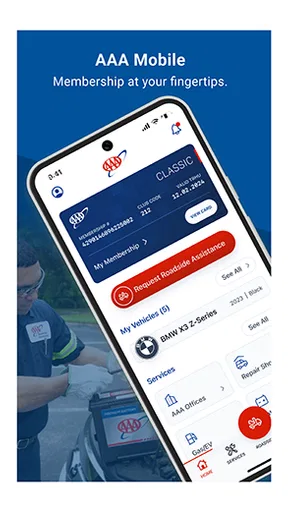
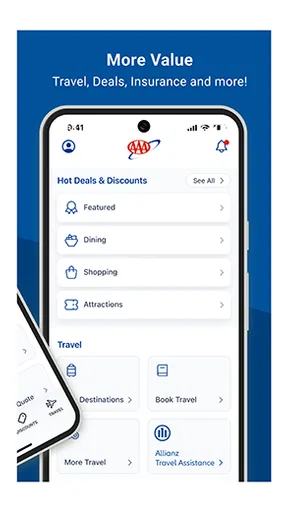
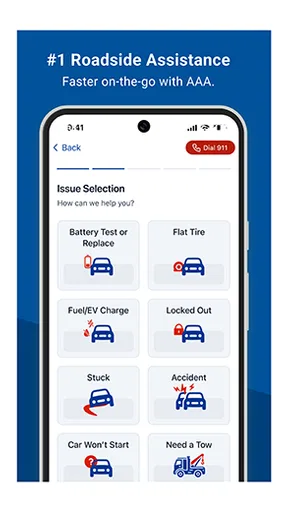
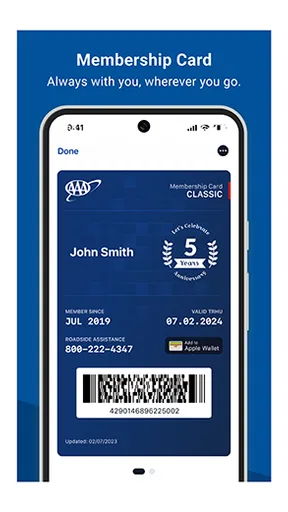
 Analysis by AppCompare
When I’m trying to sort out a roadside need or handle an everyday car-related task away from home, I want an app that gets me to the relevant service without making me guess where to begin. AAA Mobile is a lifestyle app from American Automobile Association, Inc. that puts AAA services within reach on a phone. Its appeal is practical rather than entertaining: it is most useful when you already rely on AAA and want a convenient place to start while away from your computer.
Where people can get stuck
The first hurdle is knowing what kind of help you need and whether the app is the right route to it. AAA Mobile is not a general-purpose map or a substitute for every travel, vehicle, or emergency service. It is a mobile access point for AAA services, so its value depends on the task and on your relationship with AAA. If you are looking for an unrelated local business or simply need turn-by-turn navigation, a dedicated maps app may get you there more directly.
I would also avoid treating “on the phone” as the same thing as “everything is already set up.” A service app is most helpful when you can reach the right account or service promptly, and a stressful moment is a poor time to discover that you need to check sign-in details or work out where a relevant option lives. Before you depend on it for an urgent errand, take a calm moment to open it and see whether you can find the section that matches your likely needs.
That small test is useful even if you rarely use roadside services. It gives you a feel for how the app organizes its tools and helps you decide whether it belongs on your home screen or in a folder with other travel essentials. I see that as a more realistic expectation than assuming an app will automatically solve every problem associated with a car.
Set up for a less stressful visit
AAA Mobile is free, and its Everyone age rating makes it broadly accessible as an app, but that does not mean every feature will be relevant to every person. I would start by installing it over a reliable connection, opening it when I have time, and checking that I can get to the service I actually expect to use. If account access is part of your normal AAA routine, make sure you know the sign-in details before you are away from home.
Keep the app current as well: the version shown is 26.6.2, and it requires Android 8.1 or later. Those details are especially handy if an older phone is involved. If installation or opening fails, first check that the device meets that minimum, then confirm that it has a stable internet connection and enough free space for a normal app update or install. These are sensible first checks, not a promise that they will resolve every device-specific issue.
For a household with more than one driver, it helps to agree in advance who will open the app and whose account should be used when a need arises. That avoids trying several logins beside a parked car or asking one person to find account information while another is waiting. I would not assume that installing the app automatically grants access to every AAA service; check the relevant service in the app while conditions are calm.
Worth Reading Before You Choose

Flipboard Shows What News Apps Must Do Beyond the Feed

Switching to Android Auto Means Rethinking Your Driving Routine

Google Calendar Makes a Crowded Week Easier to Manage

Ludo King Makes the Most of the Minutes Between Plans

Baby Panda World Brings Quick Play to Modern Phones, but Its Game Library Feels Busy

ESPN’s Live Game View Makes Following Close Games Easier
Recover the workflow before giving up
If a screen will not load, I would begin with the basics: check the connection, close and reopen the app, and try again somewhere with a stronger signal. If the app seems stuck after an update, restarting the phone is another ordinary troubleshooting step. These checks are useful because a failed connection or a temporary phone problem can look like a broken service, even when the underlying issue is simply that the app cannot reach what it needs at that moment.
If you cannot get into an account, slow down before repeatedly entering different passwords. Recheck the details you normally use, look for any sign-in recovery option presented in the app, and make sure you are using the account you intend to use. Repeated guessing can waste time and make a rushed situation more frustrating. If the app points you toward another way to contact AAA, follow the instructions shown there rather than relying on a route you found elsewhere.
A useful habit is to open the app before a long drive or a trip to an unfamiliar area, while you still have time to sort out access. That is not about checking it constantly; it is a quick readiness check. If everything works, you can put the phone away. If something is wrong, you can address it before you are dealing with a real roadside inconvenience.
When the app may not be the cause
Not every delay means AAA Mobile itself has failed. A weak mobile connection, an older operating system, a device that needs a restart, or an account detail that needs attention can all interrupt a routine. I would check those possibilities before uninstalling the app, especially if it worked normally before. Removing and reinstalling can create another sign-in step, so it is not the first move I would make when I am already pressed for time.
There is also a practical limit to what an app can do: it cannot make an unavailable connection reliable or remove the need to contact the appropriate service when a situation calls for it. If the phone is low on battery, conserve power and use the safest available means of getting help. If a problem is urgent, do not spend too long troubleshooting a screen; use the contact route available to you and prioritize safety.
As a category choice, AAA Mobile makes more sense for someone who wants access to AAA services than for someone who only needs navigation or a broad directory of nearby businesses. A maps app is usually the more direct option for finding a route, while a general search tool can be easier for comparing unrelated local services. The trade-off is focus: this app is worth considering when AAA is already part of how you handle motoring needs, but it is not a universal replacement for those other tools.
Using AAA Mobile in everyday life
A realistic moment might be leaving work and noticing a car problem before a drive home. Rather than searching through old messages or trying to remember which website to open, I would use the app as a starting point for finding the relevant AAA service. If the app requires a sign-in or the connection is poor, I would switch to the available contact method instead of assuming the phone will resolve everything. That is the app’s practical strength: it can shorten the path to a service, but it does not remove the need for a backup plan.
AAA Mobile has a 4.5 average from around 82,000 ratings, with over 10 million installs. Those figures suggest that many people have found a reason to keep it available, but they do not tell me whether it will suit someone who never uses AAA. I would judge it by a more personal question: do you expect to use AAA services often enough that having a mobile entry point is more convenient than finding them from scratch each time?
It is also worth thinking about how you use your phone in the car. Set up what you need before driving, and do not try to navigate menus while the vehicle is moving. If another person is in the car, they can handle the phone while you focus on the road. That simple division of attention is more useful than any app shortcut, particularly when a situation is already distracting.
For occasional users, the app can still be worthwhile if it is installed and tested before a trip, but it may not deserve a prominent place on the home screen. For someone who regularly turns to AAA, keeping it easy to find has a clearer payoff. Either way, I would confirm the key route once and remember a separate way to seek help in case the phone, network, or account gets in the way.
First Impressions Matter
When you first fire up AAA Mobile, you’re greeted with a sleek and intuitive interface that gets you right into the action. No complicated menus or laborious setups here—just jump in and start playing. The graphics are vibrant and sharp, which is quite a feat for a mobile game. It feels like they’ve squeezed a console-quality experience into your phone, and it’s seriously impressive.
What struck me immediately was the smoothness of the gameplay. Whether you’re zipping through the levels or engaging in epic battles, everything flows seamlessly. This is a game designed with the player in mind, and it shows in every pixel.
Gameplay That Hooks You
The real charm of AAA Mobile lies in its addictive gameplay. The blend of strategy and action keeps you on your toes, and each level offers just enough challenge to keep things interesting. You won’t find yourself getting bored anytime soon, as there’s always a new obstacle to overcome or a new strategy to devise.
One feature I absolutely love is the diverse range of characters and abilities you can unlock as you progress. Each character brings something unique to the table, allowing you to tailor your approach to each level. This variety keeps the gameplay fresh and makes each session feel like a new adventure.
Sound and Music: An Audio Feast
I can’t talk about AAA Mobile without mentioning the fantastic sound design. The music is catchy yet unobtrusive, setting the perfect backdrop for the intense gameplay. The sound effects are crisp and add a layer of immersion that makes each battle feel epic. Trust me, you’re going to want to play this one with the sound turned up!
It’s not just background noise, either. The audio cues are cleverly integrated into the gameplay, helping you anticipate enemy moves or alerting you to important game events. It’s these little touches that elevate the experience from good to great.
Community and Social Features
What’s a great game without a community to share it with? AAA Mobile nails the social aspect by allowing you to connect with fellow gamers. You can team up with friends for co-op missions or compete against them in PvP battles. The competitive leaderboard is a nice touch, pushing you to improve and climb the ranks.
There’s also an active forum within the app where players exchange tips, tricks, and gameplay experiences. It’s like a bustling hub of ideas and camaraderie, making the game feel like more than just an app—it’s a community.
Final Thoughts
In a world flooded with mobile games, AAA Mobile stands out for all the right reasons. Its combination of stunning graphics, engaging gameplay, and robust social features make it a must-have for any gamer. Whether you’re a casual player looking for some quick fun or a hardcore gamer seeking a new challenge, this app has something for everyone.
If you haven’t tried it yet, what are you waiting for? Give AAA Mobile a download and dive into the action. You won’t be disappointed!
Pros
- Intuitive and user-friendly interface.
- High-quality graphics enhance gameplay.
- Regular updates with new features.
- Engaging multiplayer mode.
- Cross-platform compatibility.
Cons
- Requires constant internet connection.
- Consumes significant battery power.
- In-app purchases can be expensive.
- Occasional lag on older devices.
- Limited offline features.
FAQs for AAA Mobile
What is AAA Mobile, and what are its main features?
AAA Mobile is a comprehensive app designed to enhance your vehicle-related experiences. It offers features like real-time traffic updates, emergency roadside assistance, and fuel price comparisons. The app also provides a trip planner and exclusive member discounts on travel and accommodations. With its user-friendly interface, AAA Mobile aims to be an essential tool for drivers.
Is AAA Mobile free to use, or does it require a subscription?
AAA Mobile itself is free to download and use, offering a range of features accessible to all users. However, certain premium features, such as advanced roadside assistance and exclusive discounts, are available only to AAA members. Membership plans vary, so you may want to explore these options to maximize the app's benefits.
How reliable is the emergency roadside assistance feature in AAA Mobile?
The emergency roadside assistance feature in AAA Mobile is highly reliable, backed by AAA's extensive network of service providers. Users can request help for issues like flat tires, dead batteries, or towing needs directly through the app. Response times may vary based on location and demand, but AAA is known for its prompt and efficient service.
Can I use AAA Mobile when traveling internationally?
AAA Mobile is primarily designed for use within the United States, but some features may still work internationally. Traffic updates and local fuel prices might not be available abroad. However, certain planning tools and member discounts could still be useful. It's recommended to check specific features' availability in your destination before traveling.
What are the device compatibility requirements for AAA Mobile?
AAA Mobile is compatible with both Android and iOS devices. For optimal performance, your device should be running Android 8.0 or higher, or iOS 12.0 or later. The app is regularly updated to ensure compatibility with the latest operating systems and devices, so keeping your device updated is advised to avoid any issues.


